today is one of those rare days were Jasper’s been too sick to go to grandma’s so I’ve had to take the day off. i can’t remember if i’ve ever had to take a day off – which is good, they’re hardly sick
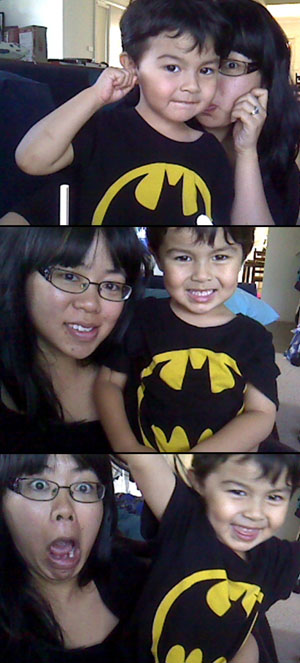
it’s just a bad cold – he’s purring like a cat from the phlegm in his chest and is cranky but once the nurofen kicks in he’s better. we’ve spent the morning at the doctor’s (just to make sure he’s ok) and then we’ve had a play with the webcam. next up, big fat nap and then Jovie will be home. i’m starting to feel a bit flu-ey myself but it’s not as bad as poor little Jasper right now. we spent about 2 hours just cuddling on the couch this morning before he felt good enough to get up
i managed to get some work done really early this morning before 9am because i’ll never get anything done with the kids around, i’m pretty lucky to work from home!
Regans works one day out of the weekend – it’s now switched to Sundays, so I take the kids and we go and do something fun together. ever since watching (and falling in love with) Hello Dolly, i can’t get the lyric – No Monday in your Sunday – out of my head and i constantly sing it Sunday morning to inspire me to not plonk down in front of the tele and just waste the day away..
Yesterday after we dropped Regan at work, I drove over to Moore Park with the kids and we spent a few hours walking around the Sydney Family Show. Surprise surprise, Jasper loved watching the bumper cars the most and Jovie fell asleep – but we still had a great morning outside before coming home and escaping the rain after lunch.
I love ‘No Monday in your Sunday’ Sundays 🙂 If you haven’t seen the song in Hello Dolly yet –
It’s been years since I’ve put together a photo book – thousands of photos of the kids and ourselves, a few sets of prints here and there – but nothing as beautiful as a Blurb photo book
I guess the biggest hurdle was the “inevitable” learning curve when it comes to any kind of layout/creative software. I’ve used other photo book software years ago, and it was just so tedious and clunky to use. I didn’t feel like it was helping me create the best photo book ever — but this is where Blurb has me converted.
The BookSmart software is a free download from the Blurb website – and is perfect for photo books that will have some text. There are other options such as Bookify Online ad PDF to Book, but I found BookSmart more than enough for me.
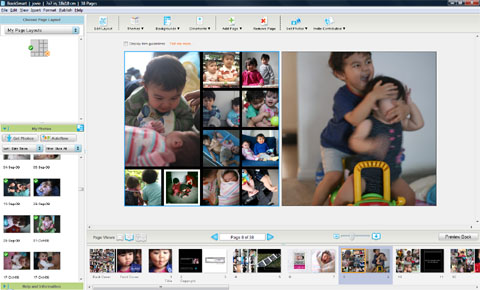
BookSmart was really user friendly – buttons to add/remove pages, buttons to add images to your ‘My Photos’ list. the photos even have a little indicator (a green tick) to let you know you’ve already used it (so handy). there’s even pre-made page layouts for text and photos so it’s easy to create professional layouts, even if you’re a novice.
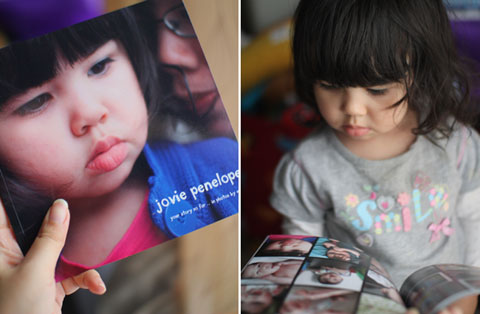
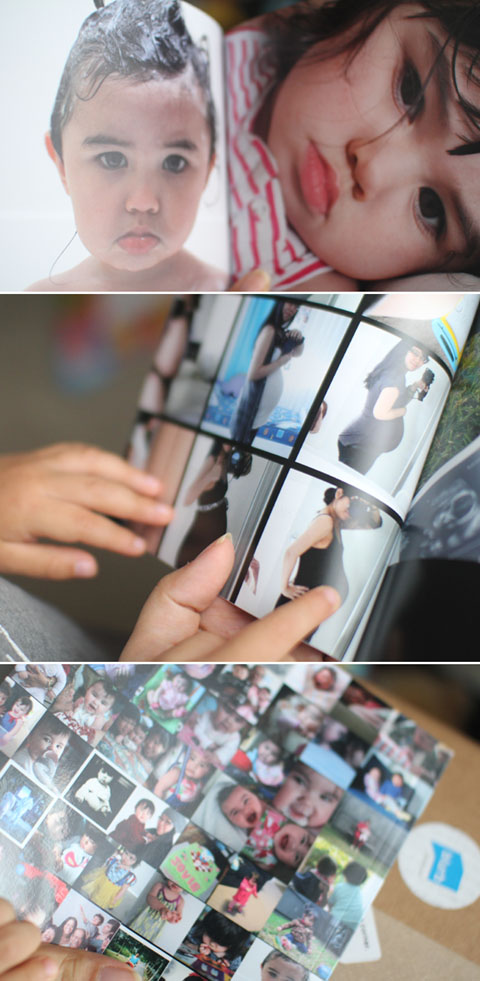
The photobook I made was a mini tribute to my baby girl Jovie – it’s her birthday in a couple of months and I really thought it would take me a month to create the photo book and a month for it to be printed and sent to me. But you know what? BookSmart made it so easy to finish off the book layout (I think it took me 3 days?) and Blurb printed and had it sent out to me in under a week. How good is that?
Receiving the finished product in the mail was overwhelming – the photographs of Jovie are beautiful (of course!) but the book itself is well made also. I’m already planning on creating another photobook via Blurb for Jasper, and then another one with my mum that features her recipes and my photos. And then maybe another one for Jovie again..
You’re not limited to creating strictly a photobook – it can be a kids story book, a book of your blog entries, a photobook & storybook of your wedding – you’re only limited by your imagination. There’s also an option to sell your book online via Blurb – self publishing has never been easier!
If you haven’t printed a photobook before, or haven’t created one in ages – I recommend Blurb! Check out their website and get started today.